Anúncios
Running out of storage space on your phone is frustrating. Luckily, specialized apps can help you reclaim gigabytes of wasted space quickly and efficiently.


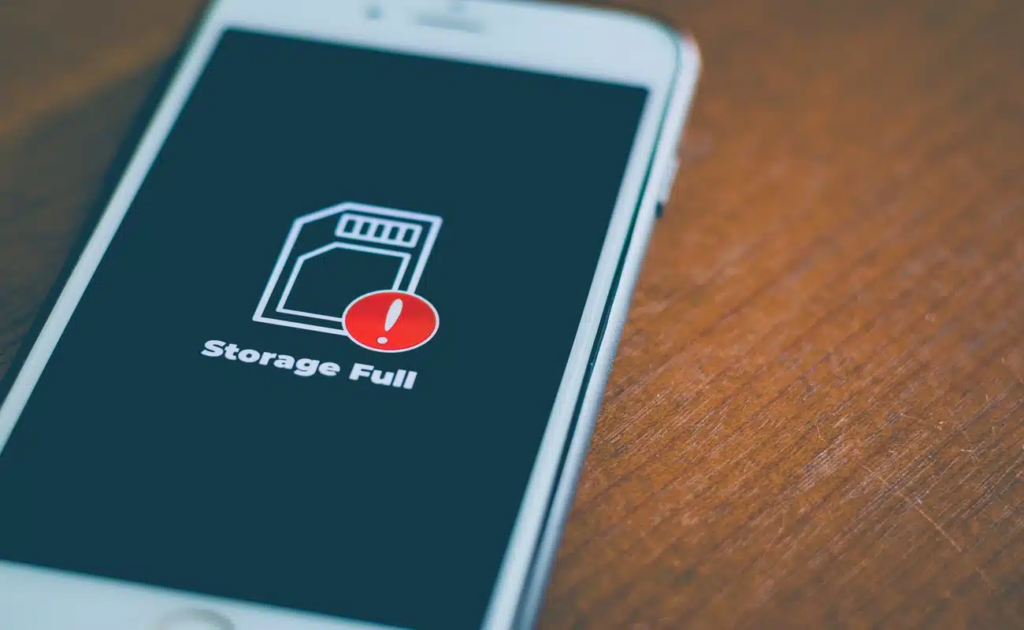
Modern smartphones pack impressive capabilities, but their storage fills up faster than most users expect. Photos, videos, app caches, and mysterious system files accumulate silently until that dreaded “Storage Full” notification appears.
Anúncios
Storage optimization apps have evolved significantly over the past few years. They now offer intelligent scanning, automatic cleaning, and features that help you understand exactly where your precious gigabytes are disappearing. Let’s explore how these tools work and which features truly make a difference.
📱 Why Your Phone Storage Fills Up So Quickly
Understanding the culprits behind storage bloat helps you tackle the problem effectively. Most users blame photos and videos, but the reality involves multiple factors working together.
Anúncios
App cache data represents one of the biggest invisible storage consumers. Every app you use generates temporary files to speed up performance. Social media apps like Facebook, Instagram, and TikTok are notorious for accumulating gigabytes of cached images and videos within weeks.
Messaging apps store media differently than you might expect. WhatsApp, Telegram, and similar platforms automatically download images and videos from group chats, even if you never open them. A single active group can consume hundreds of megabytes monthly.
System files and updates also claim significant space. Operating system updates often download in the background, and older update files aren’t always deleted automatically. This creates redundant data that serves no purpose but occupies valuable storage.
🔍 Hidden Storage Drainers Most People Miss
Beyond the obvious culprits, several hidden factors contribute to storage depletion:
- Duplicate photos and videos – Multiple copies created through editing, sharing, or cloud backup failures
- Offline content – Downloaded Netflix shows, Spotify playlists, or podcast episodes you’ve already consumed
- Old installation files – APK files from app updates that weren’t cleaned up properly
- App data bloat – Navigation apps storing offline maps, browsers keeping extensive history, and games saving large replay files
- Backup remnants – Partial backups or failed sync attempts leaving orphaned files
🛠️ Core Features Every Storage Optimizer Should Have
Not all storage cleaning apps deliver equal value. The best solutions combine multiple tools into one comprehensive package that genuinely helps reclaim space.
Intelligent junk file detection separates quality tools from basic cleaners. Advanced apps analyze file types, creation dates, and usage patterns to identify genuinely unnecessary data. They distinguish between cache files that apps need for optimal performance and truly disposable temporary files.
CCleaner, for instance, uses smart scanning algorithms that recognize which cached data is safe to remove across hundreds of popular apps. This precision prevents the performance issues that sometimes occur when users manually clear all cache indiscriminately.
📊 Visual Storage Breakdown
Top-tier optimization apps provide detailed visualizations showing exactly where your storage goes. Instead of generic categories, they drill down into specific apps and file types.
| Storage Category | Typical Space Used | Cleaning Priority |
|---|---|---|
| App Cache | 2-8 GB | High (safe monthly cleaning) |
| Downloaded Media | 5-15 GB | Medium (requires review) |
| Duplicate Files | 1-4 GB | High (completely redundant) |
| Old APK Files | 500 MB-2 GB | High (no longer needed) |
| System Junk | 1-3 GB | High (safe to remove) |
This granular visibility empowers you to make informed decisions. Rather than guessing which apps consume the most space, you see precise data and can act accordingly.
🎯 How CCleaner Optimizes Mobile Storage
CCleaner has built a solid reputation in desktop cleaning, and their mobile version brings that same expertise to smartphones. The app targets specific problem areas that manual cleaning often misses.
The Quick Clean feature scans your device in seconds, identifying safe-to-remove files across all installed apps. It recognizes temporary files, advertising caches, thumbnail databases, and residual files from uninstalled apps that Android’s native tools sometimes leave behind.
One standout capability involves media file management. The app identifies blurry photos, screenshots you probably don’t need, and similar images that clutter your gallery. Rather than forcing automatic deletion, it presents candidates for removal, letting you make the final call.
💡 Smart Cleaning That Learns Your Patterns
Modern storage optimizers incorporate machine learning to understand your usage habits. CCleaner tracks which apps you use frequently versus those gathering digital dust.
Apps you haven’t opened in 60+ days often accumulate cache unnecessarily. The smart cleaner suggests aggressive cleaning for dormant apps while preserving cache for your daily-use applications, balancing performance with storage recovery.
The App Manager component reveals exactly how much space each application consumes, breaking down the total into app size, data, and cache. This transparency helps you identify which apps deserve their storage footprint and which are storage hogs without justification.
📸 Managing Photos and Videos Effectively
Photos and videos typically consume 40-60% of user storage on smartphones. Optimization apps approach this challenge from multiple angles beyond simple deletion prompts.
Duplicate detection algorithms compare files pixel-by-pixel, identifying exact copies and near-duplicates created through editing or multiple downloads. Some tools even recognize burst mode photos, flagging the series so you can keep the best shot and delete the rest.
Cloud backup integration represents another crucial feature. Many storage optimizers connect with Google Photos, iCloud, or Dropbox to verify which media files are safely backed up. Once confirmed, they offer to remove local copies, keeping cloud access while freeing device storage.
🎬 Video Files: The Silent Storage Killers
A single minute of 4K video consumes approximately 350-400 MB. Most users underestimate how quickly video recordings fill storage, especially when recording family events, vacations, or creative projects.
Quality optimization apps identify large video files and display them sorted by size. This simple organization helps you quickly spot that 10-minute 4K recording consuming 4 GB that you forgot to transfer to your computer.
Some advanced tools offer video compression directly within the app. While this reduces quality slightly, modern compression algorithms maintain visual fidelity while cutting file sizes by 50-70%. This feature proves invaluable for videos you want to keep on-device but don’t need in original quality.
🔄 Automated Maintenance vs. Manual Control
The best storage optimization approach combines automated cleaning with user oversight. Fully automatic cleaners risk removing files you actually need, while purely manual management requires too much ongoing attention.
Scheduled cleaning features let you set weekly or monthly automatic scans. The app performs background cleaning during low-usage periods, typically overnight when your phone charges. You wake up to freed storage without lifting a finger.
Smart notifications alert you when storage crosses critical thresholds. Instead of discovering you’re out of space while trying to capture an important photo, you receive advance warning with cleanup suggestions.
⚙️ Customizable Cleaning Profiles
Power users appreciate granular control over what gets cleaned automatically versus what requires approval. CCleaner and similar apps let you create custom profiles:
- Aggressive mode – Automatically removes all cache, temporary files, and old downloads without confirmation
- Balanced mode – Cleans obvious junk automatically but asks before touching media or app data
- Conservative mode – Only suggests cleanups, requiring manual approval for everything
- Custom rules – Exclude specific apps or file types from automatic cleaning entirely
This flexibility ensures the optimizer works with your preferences rather than imposing a one-size-fits-all approach that might delete something you wanted to keep.
🚀 Performance Benefits Beyond Storage Space
While reclaiming gigabytes is the primary goal, storage optimization delivers several secondary performance improvements that users often notice immediately.
Faster app launches occur because the system spends less time indexing and managing excessive cached files. Apps load their essential data more quickly when not wading through bloated cache directories.
Battery life can improve modestly as well. When storage fills beyond 90% capacity, smartphones work harder to manage files, write temporary data, and perform background operations. Maintaining healthy storage levels (70-80% capacity) reduces this computational overhead.
System responsiveness increases because Android and iOS both slow down when storage is critically low. The operating system needs free space for temporary operations, app updates, and system processes. Keeping 10-15% storage free maintains optimal system performance.
📱 App Update Management
Many users disable automatic app updates because they fear running out of storage mid-update. Storage optimizers help by identifying apps with pending updates and estimating total space required.
Some tools even clear cache from apps about to update, ensuring sufficient space exists before the update begins. This proactive approach prevents those frustrating “Cannot Update – Insufficient Storage” errors that force you into emergency cleaning mode.
🔒 Privacy and Security Considerations
Granting a storage optimizer access to your files requires trust. Reputable apps like CCleaner maintain strict privacy standards, but understanding what permissions mean helps you make informed choices.
Storage access permission is obviously necessary for the app to scan and clean files. However, quality apps limit their scope to system junk and cache, avoiding sensitive directories containing passwords, authentication tokens, or encrypted data.
Transparency about data collection matters significantly. The best apps clearly explain what anonymized usage data they collect (typically file types and sizes for improving algorithms) versus what they never access (file contents, personal information, or communications).
🛡️ Safe Cleaning Practices
Even with trustworthy apps, following best practices protects your data:
- Review before bulk deletion – Always check what the app plans to remove, especially the first few times
- Backup important files – Use cloud storage or transfer to a computer before aggressive cleaning
- Test cleaning impact – After your first cleanup, verify all important apps and files work correctly
- Avoid “RAM boosters” – Features claiming to speed up phones by clearing RAM are largely ineffective on modern devices
- Watch for upsells – Some free optimizers push unnecessary premium features or security tools you don’t need
📊 Measuring Real-World Results
How much storage can you actually reclaim with an optimization app? Results vary based on usage patterns, but typical scenarios show impressive gains.
For a user who hasn’t cleaned their phone in 6+ months, initial scans commonly identify 3-7 GB of removable junk. Social media users who actively browse Instagram, TikTok, and Facebook often see the highest cache accumulation, sometimes reaching 2-3 GB per app.
Regular maintenance (weekly or bi-weekly cleaning) typically recovers 200-800 MB each session. While smaller than initial cleanups, this prevents the gradual storage creep that eventually leads to capacity issues.
Duplicate photo detection provides variable results depending on your photo habits. Users who frequently edit images or share photos across multiple apps might discover 500 MB-2 GB in duplicates, while careful photographers see minimal duplicates.
📈 Long-Term Storage Health
Consistent use of storage optimization tools shifts your relationship with device storage from reactive crisis management to proactive maintenance. Users report:
- Stopping the “delete apps to take a photo” emergency cycle
- Installing wanted apps without worrying about space
- Maintaining 15-25% free storage consistently
- Reducing the need to purchase higher-storage devices
- Faster overall device performance over time
🎯 Choosing the Right Optimization Strategy for Your Needs
Different users need different optimization approaches. Your ideal strategy depends on how you use your phone and what’s consuming your storage.
Heavy media users (photographers, content creators) benefit most from tools with strong duplicate detection and cloud integration. Automated backup verification ensures you can safely remove local copies once media reaches cloud storage.
App enthusiasts who install dozens of apps need robust app management features showing detailed storage breakdowns per application. Regular cache cleaning becomes essential since more apps means exponentially more cached data.
Casual users often prefer set-it-and-forget-it automation. Weekly scheduled cleaning with conservative settings handles maintenance without requiring technical knowledge or active management.
💼 Business and Professional Use
Professionals using phones for work face unique storage challenges. Video conference recordings, presentation files, and document attachments accumulate quickly.
Storage optimizers help by identifying old work files safe for archival. Files untouched for 90+ days can be moved to cloud storage or desktop workstations, keeping the device lean for active projects.
Some optimization apps integrate with enterprise solutions, respecting managed storage policies while still helping employees maintain adequate free space for business-critical applications.
🔮 The Future of Mobile Storage Management
Storage optimization technology continues evolving as smartphones become more central to our daily lives. Emerging trends point toward smarter, more predictive cleaning.
AI-powered predictions will soon forecast your storage needs based on upcoming events. Planning a vacation? Your optimizer might suggest archiving old media to make room for new photos and videos you’ll capture.
Integration with on-device AI features will become increasingly important. As phones gain more local AI capabilities for photo editing, voice processing, and content generation, these systems will coordinate with optimizers to manage temporary AI processing files efficiently.
Cross-device optimization represents another frontier. Future tools might manage storage across your phone, tablet, and computer simultaneously, intelligently distributing files based on where you’ll most likely need them while minimizing redundancy.
✨ Taking Action on Your Storage Issues Today
Understanding storage optimization is valuable, but implementing these strategies creates actual results. Start with a comprehensive scan using a trusted tool like CCleaner to establish your baseline.
Review what the scan discovers carefully. The detailed breakdown reveals your personal storage patterns and biggest opportunities for reclaiming space. You might be surprised which apps consume the most storage versus which ones you assumed were the culprits.
Establish a regular cleaning schedule that fits your usage intensity. Heavy users benefit from weekly cleaning, while moderate users might only need monthly maintenance. The key is consistency rather than frequency.
Remember that storage optimization isn’t just about deleting files—it’s about understanding your digital footprint and maintaining a healthy, responsive device. The few minutes invested in regular maintenance prevent hours of frustration when you desperately need space for something important.
Modern smartphones offer incredible capabilities, but only when you have the storage space to use them fully. Storage optimization apps provide the tools to take control, ensuring your device works for you rather than constant storage anxiety dictating what you can and cannot do with your phone.